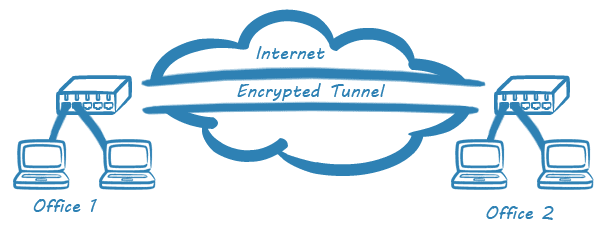
PAN-OS implements IPsec VPNs as route-based tunnels, as opposed to policy-based designs.
- The deciding factor in which traffic is tunneled is the traffic's final destination.
- Route-based VPNs are easy to deploy and scale readily to large environments.
The firewall also interoperates with third-party, policy-based VPN devices:
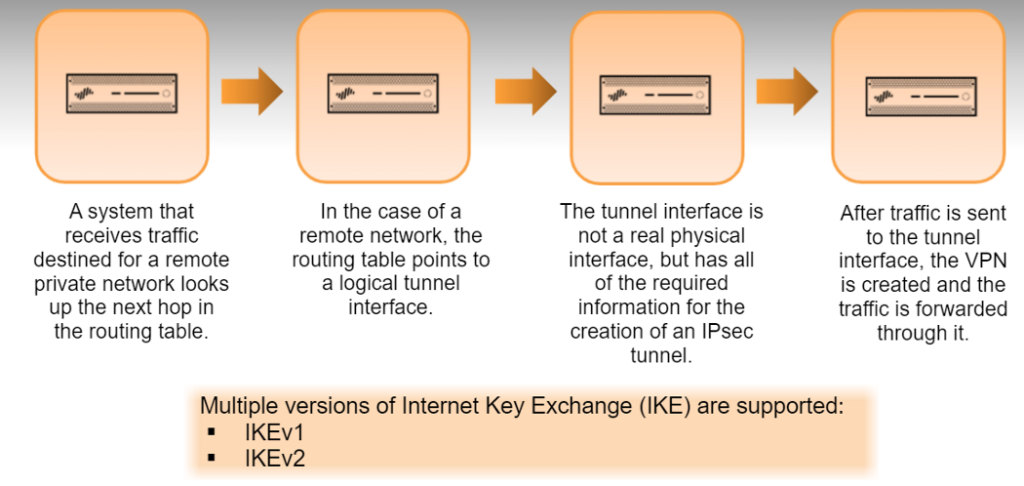
- A system that receives traffic destined for a remote private network looks up the next hop in the routing table, the standard procedure for traffic headed to any other network.
- For a remote network, the routing table points to a logical tunnel interface.
- The tunnel interface is not a physical interface, but it holds all the information required to create an IPsec tunnel.
- Once traffic is sent to the tunnel interface, the VPN is established and the traffic is forwarded through it.
IKEv1 is the most commonly used version. IKEv2 is primarily used to meet the requirements of the Network Device Protection Profile (NDPP) certification, Microsoft Azure compliance and/or Suite B support. "IKEv2 preferred" mode falls back to IKEv1 after five retries (about 30 seconds).
IKE Phase 1
In the first phase:
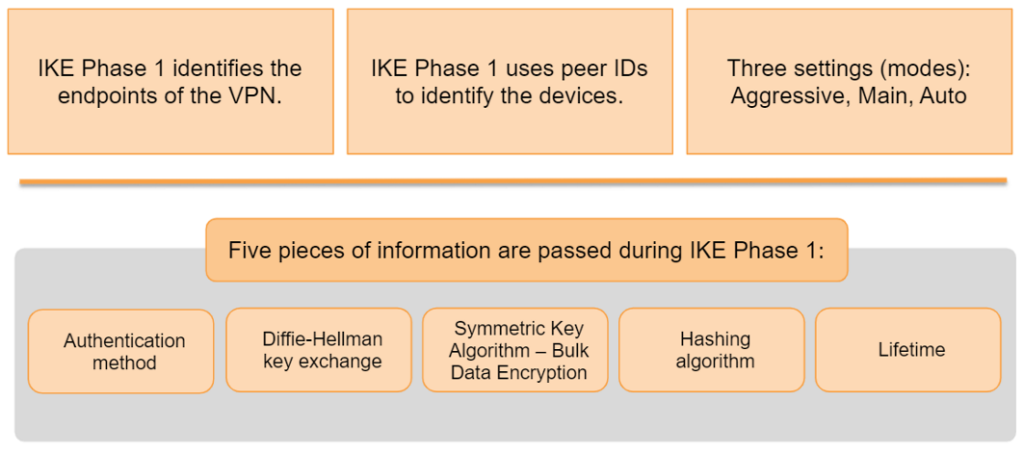
- IKE authenticates the firewalls to each other and sets up a secure control channel, using the IKE Crypto Profile for negotiation.
- Phase 1 identifies the other firewall by a peer ID, which is simply the public IP address or domain name of the other firewall.
- Phase 1 authenticates the tunnel endpoints and creates a secure channel for the next phase of the VPN.
The following information is exchanged during Phase 1:
- Authentication method
- Diffie-Hellman key exchange
- Symmetric key algorithm (bulk data encryption)
- Hashing algorithm
- Lifetime
IKE Phase 2
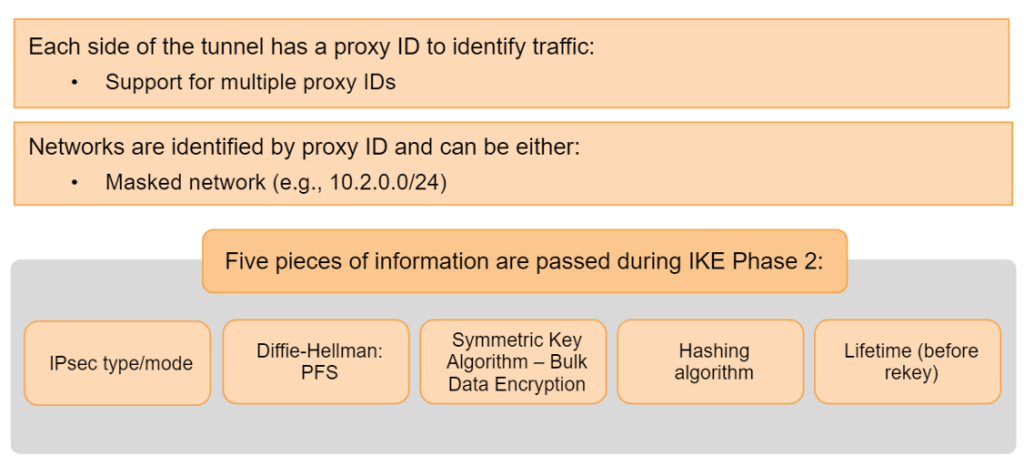
Phase 2 creates the tunnel that encapsulates data traffic and is concerned with the data that crosses it. Each side of the tunnel has a proxy ID that identifies the traffic it will send and what it expects to receive. Proxy IDs can be a specific network range or the generic 0.0.0.0/0. Either way, both sides need to know what the other side will send for the tunnel to work.
The following information is exchanged during Phase 2:
- IPsec type/mode
- Diffie-Hellman (PFS)
- Symmetric key algorithm (bulk data encryption)
- Hashing algorithm
- Lifetime (before rekey)
Note: You may know proxy IDs by another name: encryption domain. They are effectively the same thing.
Route-based site-to-site VPN
We need to understand the network topology to determine how many tunnels are required. For example:
- A single VPN tunnel may be enough to connect one central site and one remote site.
- Connecting a central site to multiple remote sites requires a tunnel for each central–remote pair.
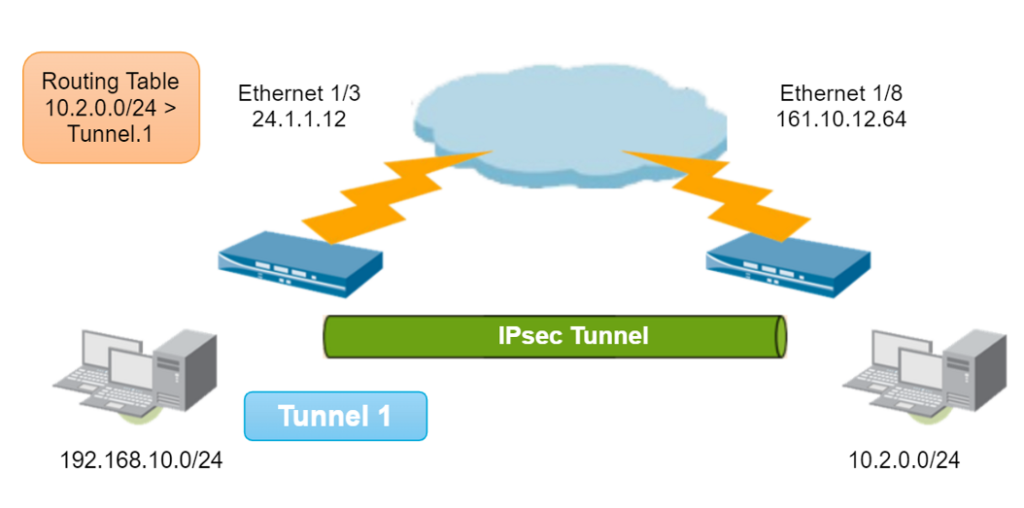
- Each tunnel is bound to a tunnel interface.
- The tunnel interface appears to the system as a normal interface, so the existing routing infrastructure applies.
- Each tunnel interface can have a maximum of 10 IPsec tunnels.
VPN tunnel component interaction
The diagram shows the components that must be created to configure an IPsec VPN tunnel. The arrows show the dependencies between components.
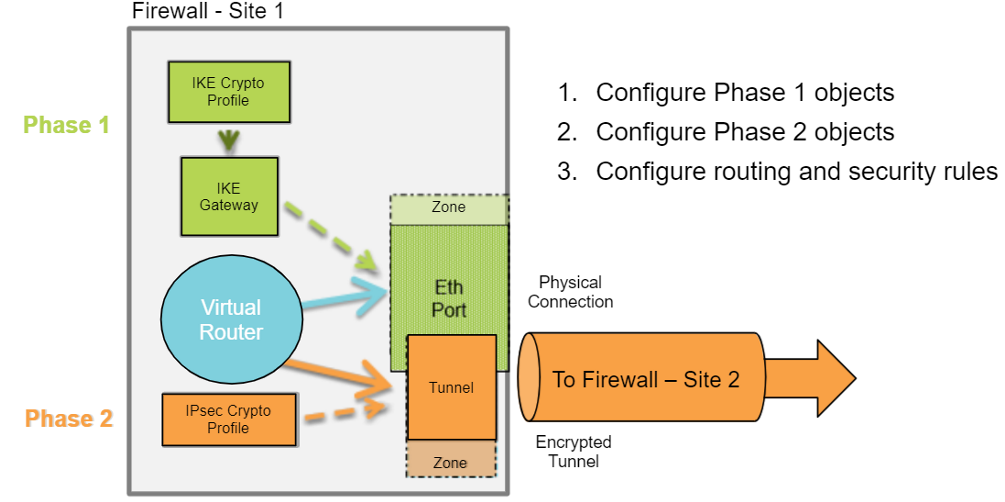
The three basic requirements for creating a VPN in PAN-OS are:
- Create the tunnel interface or Phase 1 objects
- Configure the interface in the web interface under Network → Interfaces → Tunnel.
- Add the new logical interface to a Layer 3 zone and a virtual router, just like any other logical Layer 3 interface.
- Configure the IPsec tunnel or Phase 2 objects
- Use the basic interface when creating a tunnel between PAN-OS devices with known IP addresses.
- The only values needed are the tunnel interface, the local peer ID, the remote peer ID and the pre-shared key (PSK).
- For a site-to-site tunnel with another Palo Alto Networks firewall, use the default crypto profiles.
- For a site-to-site tunnel with another vendor's firewall, configure the advanced crypto profile settings to match.
- Add a static route to the virtual router or enable a routing protocol such as BGP, OSPF or RIP
- Add a route table entry for the remote network that points to the tunnel interface from steps 1 and 2.
- No next-hop IP address is required when using tunnel interfaces.
- Be sure to create a security rule that allows the tunneled traffic.